
You may send an embed in your response message following the scripting guide here
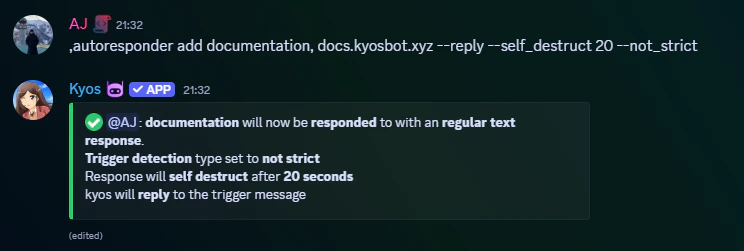
Creating an Autoresponder
You must separate the trigger and the response with a
,
Removing an autoresponder
This will delete the given autoresponder, to delete all, use
all as the trigger argument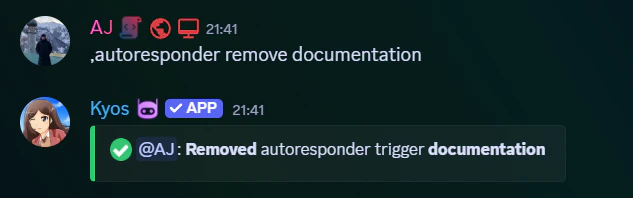
Viewing the autoresponders
To view the current autoresponders, you can use the autoresponder list command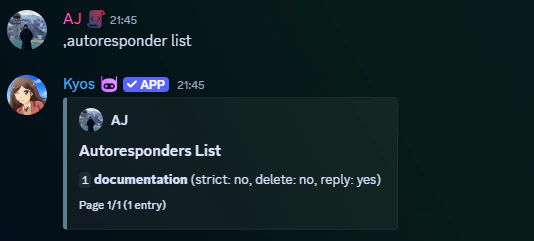
Flags
Flags can be added to your autoresponder to allow more customization.Not strict
Not strict
The
--not_strict flag makes kyos respond to the trigger even if it does not match the trigger exactly.Self destruct
Self destruct
The
--self_destruct flag makes kyos delete the response message after a specified number of seconds. Must be between 6s-40sDelete
Delete
The
--delete flag makes kyos delete the trigger message.Miscellaneous
Removing all autoresponders
Removing all autoresponders
Execute
autoresponder clear