> ## Documentation Index
> Fetch the complete documentation index at: https://docs.kyosbot.xyz/llms.txt
> Use this file to discover all available pages before exploring further.
# Logging
> Get logged events for your server.
## Overview
The logging module allows you to log server events into designated channels. Perhaps useful for keeping informed on what’s happening inside your server.
**NOTE:** The available logging events are `mod`, `server`, `member`, and `all`
## Adding a logging event
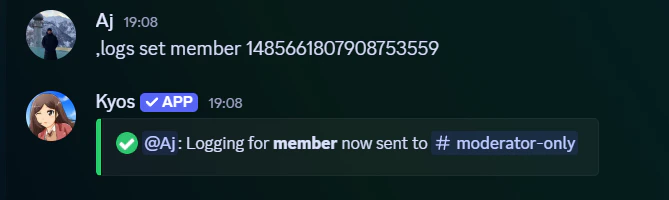
Adding a logging event You can create a logging event using the logs set command.
```javascript Syntax theme={null}
,logs set (type) (channel)
```
```javascript Example theme={null}
,logs set member #logging
```
 ## Removing a logging event
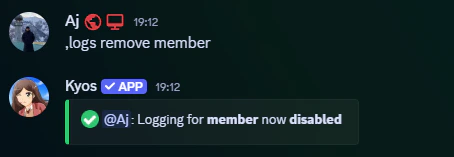
You can remove a logging event using the logs remove command.
```javascript Syntax theme={null}
,logs remove (event)
```
```javascript Example theme={null}
,logs remove member
```
## Removing a logging event
You can remove a logging event using the logs remove command.
```javascript Syntax theme={null}
,logs remove (event)
```
```javascript Example theme={null}
,logs remove member
```
 ## Related commands
You can use the `logs config` to view all active log channels
## Related commands
You can use the `logs config` to view all active log channels